
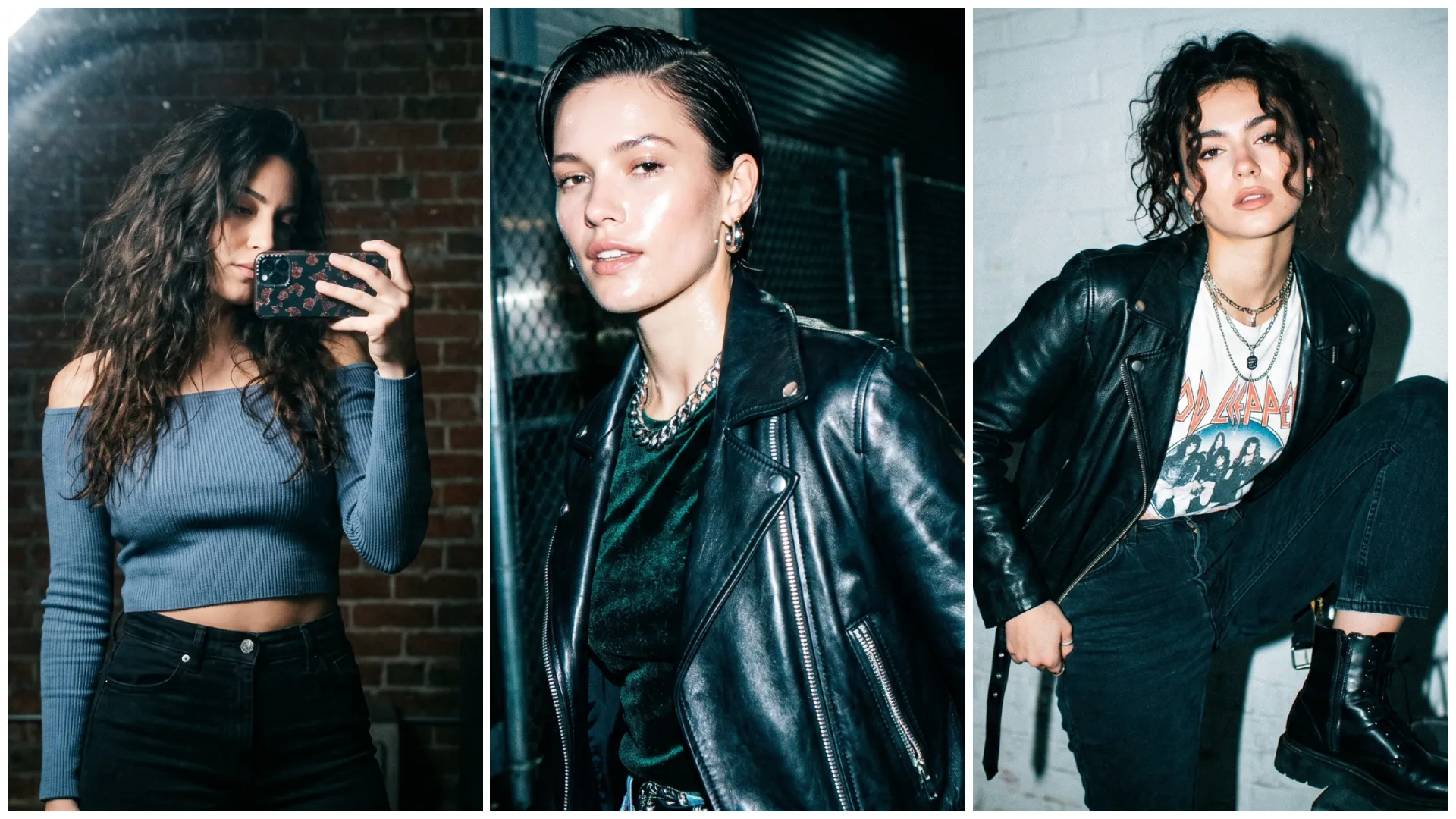
Instagram par ek naya trend fast viral ho raha hai Flashlight Effect AI Photo Editing, Is style me photo ka background dark hota hai aur subject par ek strong flashlight glow diya jata hai, jisse image cinematic aur attention-grabbing lagti hai.
Ye effect specially DP, reels aur attitude photos ke liye perfect hai. Ab aap bhi sirf ek normal photo aur Flashlight Effect AI Photo Editing Prompt ke through flashlight glow cinematic look create kar sakte ho using Google Gemini.
Flashlight Effect AI Photo Editing Prompt Kya Hota Hai?
Ye ek text-based AI instruction hota hai jo AI ko batata hai:
- Background dark ya low light ho
- Subject par spotlight/flashlight ho
- Lighting high contrast ho
- Mood cinematic aur focused ho
Agar prompt sahi likha ho, to output ek professional cinematic portrait jaisa lagta hai
Flashlight Effect Photos Kyun Trend Kar Rahi Hain?
- Unique lighting effect
- Instagram reels friendly
- Cinematic vibe
- High contrast = high attention
Isi liye ye trend 2026 me aur bhi viral ho raha hai.
Google Gemini Se Flashlight Effect AI Photo Kaise Banayein?
Step 1: Google Gemini Open Karein
Gemini Image generation ya editing mode open karein.
Step 2: Apni Photo Upload Karein
- Clear face photo use karein
- Dark background ho to best
Step 3: Prompt English Me Paste Karein
Keywords use karein:
- flashlight effect
- spotlight lighting
- dark background
Step 4: Settings Select Karein
Aspect ratio
- DP → 1:1
- Reel → 9:16
Style
- Cinematic
- Dark
- Portrait
Quality → High / Ultra
Step 5: Final Touch
- Light focus center me rakhein
- Over-glow avoid karein
Instagram Cinematic Flash Filter AI Photo Editing Prompt
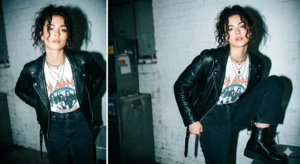
Apply a high-contrast direct flash photography style inspired by 90s fashion editorials.

Lighting Style:
• Strong harsh frontal flash lighting
• Bright, slightly overexposed highlights
• Deep, defined shadows with strong contrast
• Subject remains sharp and clearly defined

Color Grading:
• Cool teal tones in shadows and midtones
• Slightly warm but desaturated skin tones
• Subtle cyan/green color shifts
• Whites slightly shifted toward a cool bluish tone
• Overall reduced saturation with boosted contrast for a punchy look

Texture & Effects:
• Heavy fine film grain across the image
• Mild shadow noise for analog realism
• Subtle chromatic aberration (edge color fringing)
• Light vignette to focus attention on the subject

Tonal Style:
• Slightly crushed blacks for depth
• Gently lifted highlights to maintain detail
• Balanced dynamic range with a stylized edge

Overall Look:
Glossy 90s fashion editorial aesthetic, blending clean digital sharpness with a gritty analog film feel — bold, punchy, and stylistically raw.

Negative Prompt (Strict):
flat lighting, soft diffused light, over-smoothing, plastic skin, low contrast, washed-out colors, excessive blur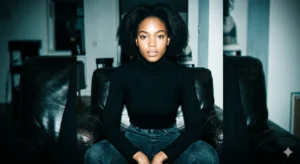
Apply a high-contrast direct flash photography style inspired by 90s fashion editorials, while preserving the subject exactly as is.

Identity & Structure Preservation:
Do not alter the face, body position, proportions, or expression. Maintain the original identity and pose exactly.

Lighting Style:
• Harsh frontal direct flash lighting
• Bright, slightly overexposed highlights
• Deep, punchy shadows with strong contrast
• Subject remains razor-sharp and well-defined

Color Grading:
• Cool teal tones in shadows and midtones
• Slightly warm but desaturated skin tones
• Overall low saturation with high contrast
• Subtle cyan-green color shifts
• Whites slightly shifted toward a cool bluish tone

Texture & Film Effects:
• Heavy fine film grain for analog feel
• Mild shadow noise
• Subtle chromatic aberration (edge fringing)
• Soft vignette for focus and depth

Tonal Balance:
• Slightly crushed blacks for depth
• Gently lifted highlights for a glossy finish
• Maintain clarity without losing detail

Overall Style:
Glossy 90s fashion editorial look, blending digital sharpness with gritty analog texture — bold, punchy, and stylized yet realistic.

Negative Prompt (Strict):
face alteration, pose change, soft lighting, low contrast, over-smoothing, plastic skin, washed-out tones, excessive blur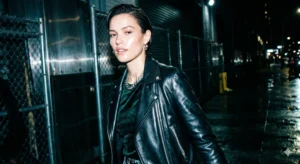
Apply a strong direct flash (paparazzi-style) lighting effect with a bold, high-fashion editorial finish.

Lighting & Exposure:
• Harsh frontal flash lighting with high intensity
• Slightly overexposed highlights for a glossy flash look
• Deep, contrasty shadows with strong separation
• Subject remains sharp and clearly defined

Color Grading:
• Add cool cyan/blue tones in shadows and midtones
• Keep highlights bright and slightly blown (controlled, not clipped)
• Skin tones appear bright, slightly washed, and glossy
• Reduce midtones slightly for a punchy contrast effect
• Boost whites for a crisp, high-impact finish

Texture & Effects:
• Subtle noise and fine grain for a raw flash-camera feel
• Slight chromatic aberration for realism
• Minimal vignette to keep the flash-centered look

Background Treatment:
• Darker, slightly metallic or reflective background tones
• Enhanced reflections and contrast to emphasize depth

Tonal Style:
• High contrast with bright highlights and crushed shadows
• Clean yet gritty balance between digital clarity and raw texture

Overall Look:
Paparazzi flash / night photography aesthetic, bold and dramatic, similar to an Instagram “flash” filter restyle — modern, edgy, and attention-grabbing.

Negative Prompt (Strict):
soft lighting, flat exposure, low contrast, over-smoothing, plastic skin, dull colors, excessive blur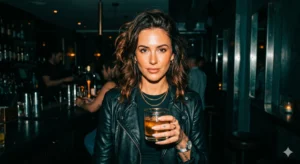
Apply a strong direct flash lighting effect combined with a cinematic teal-and-orange color grade for a dramatic, high-end editorial look.

Lighting & Exposure:
• Harsh frontal flash lighting with controlled exposure
• Deep, rich contrast with slightly crushed shadows
• Highlights remain bright with a soft, cinematic glow (no harsh clipping)
• Subject stays sharp and well-defined

Color Grading (Teal & Orange):
• Cool teal tones in shadows and darker areas
• Warm orange tones in highlights and skin
• Slightly reduced overall brightness with increased color depth
• Boost color richness and saturation without oversaturation

Skin & Detail:
• Skin tones remain warm, natural, and slightly glossy
• Enhanced texture and sharpness with visible natural detail
• Avoid over-smoothing or artificial skin effects

Background Treatment:
• Dark, moody background with slight desaturation
• Subtle metallic reflections and depth
• Clean separation between subject and background

Effects & Finishing:
• Light film grain for cinematic texture
• Subtle vignette to focus attention on the subject
• Balanced sharpness with smooth highlight roll-off

Overall Look:
Deep cinematic flash photography style, combining Instagram flash restyle + filmic color grading — bold, dramatic, and rich in color depth.

Negative Prompt (Strict):
flat lighting, overexposed highlights, dull colors, plastic skin, over-smoothing, low contrast, excessive blur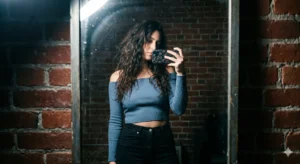
Create a high-contrast mirror selfie portrait with a cinematic film-noir aesthetic and realistic 35mm film look.

Subject:
A woman with long dark wavy hair, styled naturally with soft texture and movement.

Outfit & Styling:
• Dusty blue off-the-shoulder long-sleeve crop top with realistic fabric folds
• High-waisted black trousers with clean structure

Pose & Composition:
• Standing in front of a mirror, holding a smartphone with a decorative case
• Phone positioned to partially obscure the face, maintaining a candid mirror selfie look
• Relaxed posture with natural body alignment

Environment & Background:
• A textured red brick wall backdrop
• Indoor setting with a raw, urban aesthetic

Lighting Style:
• Harsh overhead lighting creating strong highlights and deep shadows
• Subtle flash glare reflecting in the mirror or on the lens
• High-contrast lighting for a film-noir mood

Color & Tone:
• Slightly cool-toned, moody color grading
• Muted colors with strong contrast
• Balanced shadows and highlights for cinematic depth

Texture & Effects:
• 35mm film aesthetic with visible grain
• Subtle noise and organic imperfections
• Slight bloom/glow on highlights for realism

Camera Feel:
• Natural handheld mirror selfie perspective
• Sharp subject detail with slight environmental softness

Overall Style:
Cinematic urban mirror selfie with film-noir influence, combining raw realism with a stylized vintage film look.

Negative Prompt (Strict):
over-smooth skin, flat lighting, CGI look, cartoon style, unrealistic textures, excessive blurViral Banane Ke Pro Tips
- Dark environment photos use karo
- Caption example:
“Light finds its way (AI generated)”
- Hashtags:
#FlashlightEffect #AIEditing #CinematicPhoto
Common Mistakes
- Over-exposed light
- Face blur
- Too much glow
- Prompt Hindi me likhna
Dark + focused light + contrast = best result
Final Words
Instagram Trending Flashlight Effect AI Photo Editing Prompt ek powerful trend hai jo simple photos ko cinematic spotlight portraits me convert karta hai. Sahi prompt aur lighting ke saath aap apni photo ko professional dark aesthetic image me badal sakte ho jo Instagram par instantly viral potential rakhta hai.
Agar aap aise hi copy–paste ready AI prompts Hindi me chahte ho, to Bloggerohan.com ko bookmark karna mat bhoolna. Yahan aapko milte rahenge latest trending AI prompts.
Also Read:
- Trending Bullet Bike Ride AI Photo Editing Prompts 2026
- Google Gemini Aura Farm AI Photo Editing Prompts 2026

I’m Rohan, an AI prompt creator from Kanpur, UP, India, focused on sharing copy–and–paste–ready AI photo and video editing prompts for modern content creators.