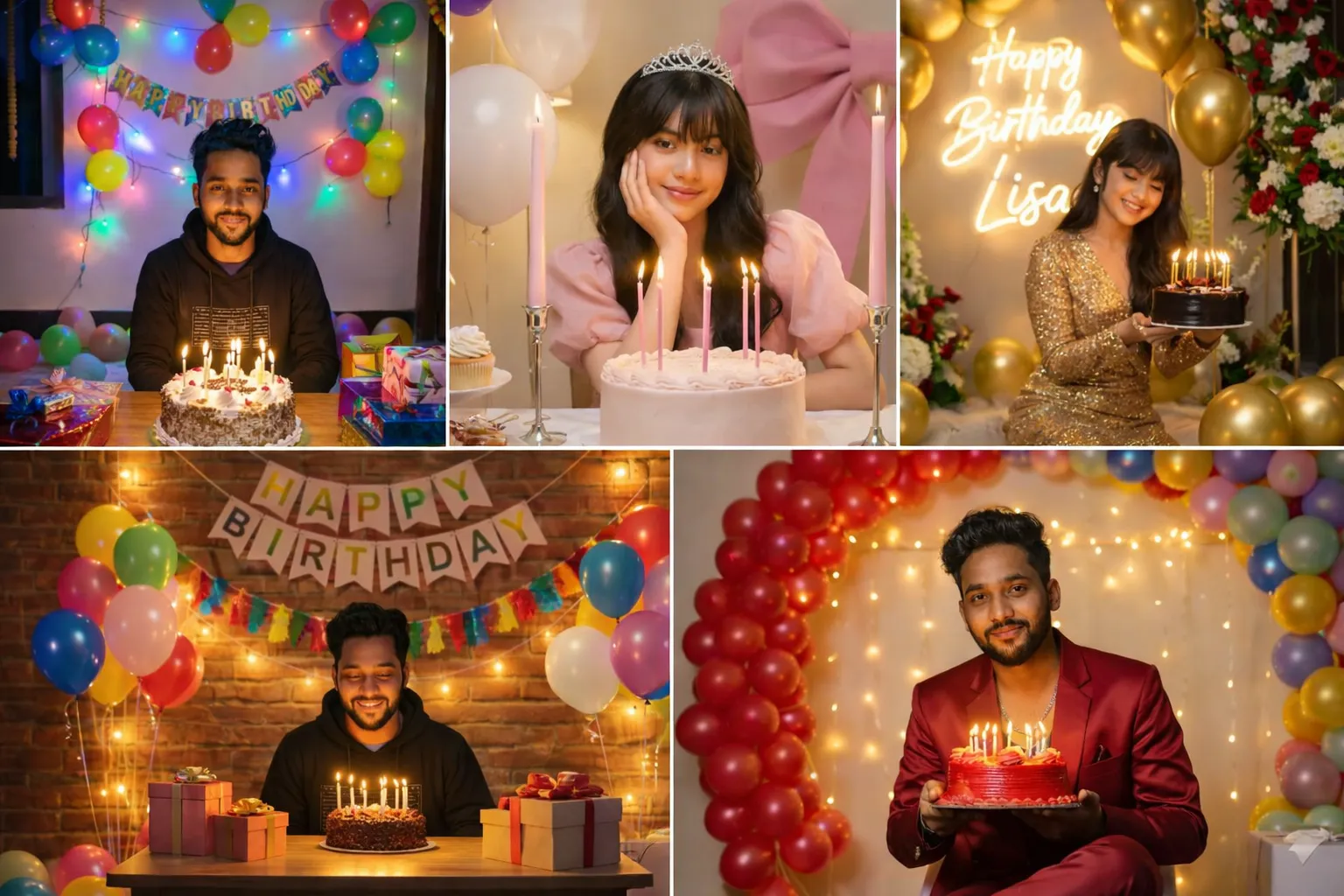
Birthday sirf ek date nahi hoti, balki celebration, memories aur special moments ka din hota hai. Aaj ke digital era me log simple “Happy Birthday” message se zyada creative, stylish aur eye-catching birthday photos share karna chahte hain.
Yahin par Google Gemini Happy Birthday AI Photo Editing Prompt ka use bahut popular ho raha hai. AI ke madhyam se aap bina Photoshop ya heavy editing skills ke bhi cinematic, aesthetic aur premium birthday photos bana sakte ho wo bhi sirf ek prompt ke saath.
Is article me aap jaanoge:
- Google Gemini Happy Birthday AI Prompt kya hota hai
- AI se birthday photo kaise banayein
- Prompt ko sahi tarike se kaise use karein
- Different birthday styles ke liye prompt placeholders
Google Gemini Happy Birthday AI Photo Editing Prompt Kya Hota Hai?
Google Gemini Happy Birthday AI Photo Editing Prompt ek text-based instruction hota hai jo AI ko batata hai:
- Photo ka theme birthday celebration ho
- Cake, balloons, lights ya birthday text kaise ho
- Subject ka face natural aur unchanged rahe
- Colors, lighting aur style aesthetic ya cinematic ho
Agar prompt clear aur properly structured ho, to output professional aur social-media ready milta hai.
Ye Birthday AI Prompts Kaun Use Kar Sakta Hai?
Ye prompts in logon ke liye perfect hain:
- Instagram Reels & post creators
- WhatsApp DP / status users
- Birthday wish designers
- Friends ya family ke liye special edit banana chahne wale
- Beginners jo AI photo editing start kar rahe hain
Chahe apna birthday ho ya kisi aur ka — ye prompts har situation me kaam aate hain.
Google Gemini Happy Birthday AI Prompt Kaise Use Karein? (Step-by-Step)
Step 1: Google Gemini Open Karein
Google Gemini AI ka image generation ya image editing feature open karein.
Step 2: Apni Photo Upload Karein (Optional)
- Clear aur high-quality photo ko upload karein
- Apka Face properly visible ho
- Blur ya dark photos avoid karein
Step 3: Prompt English Me Paste Karein
- Prompt ko English language me hi paste karein
- Kyunki AI tools English instructions ko zyada accurately samajhte hain
Step 4: Generate & Improve
- Output ko achchhe se check karein
- Agar result perfect na ho, to prompt me thoda sa tweak karein
- Lighting, colors ya background keywords adjust karein
Isi process se best birthday edits milte hain.
Google Gemini Happy Birthday AI Photo Editing Prompts (Copy–Paste Ready)
Prompt 1
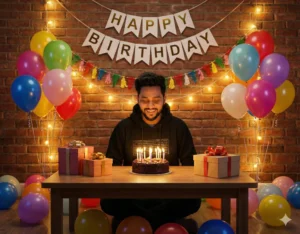
In this picture, create a room for birthday celebration in which birthday decorations have been done and happy birthday text is also written on the wall. There is a table on which gifts along with cake are kept. And there are balloons all around.Prompt 2
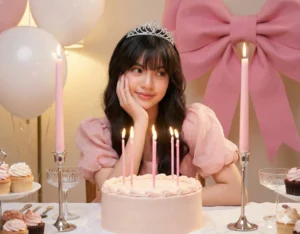
"a beautiful young woman with fair skin and long wavy brown hair, styled neatly, wearing a soft pink puff-sleeve dress and a sparkling silver tiara crown, she is sitting at a decorated birthday table, resting her face gently on one hand with a soft, dreamy smile and calm expression, in front of her is a Large round birthday cake decorated with light pink icing and several lit tall pink candles, the table is covered with a white tablecloth, pink ribbons, and elegant glassware, on the table, there are also chocolate cupcakes with white cream and pink sprinkles. two tall pink candles with bows on silver stands are placed on both sides of the cake. behind her are large white balloons, a giant pink bow, and other birthday decorations, creating a dreamy, elegant birthday party setting. lighting is warm, soft, and celebratory, capturing a magical, princess-Like atmosphere for making this photo use the above photo and don't change her face it should be the exact same 100%."
Prompt 3
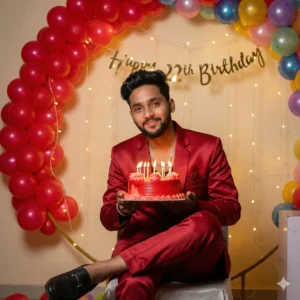
Creat an 8K ultra realistic birthday celebration picture featuring attached young man my same face with trimmer beard, silver chain sitting, crossing one leg over another gracefully, in a stylish red satin suit. He has short dark wavy hair and is holding a red birthday cake with candles lit. The background is adorned with an arch of red and colour full balloons, fairy lights, and a ‘Happy 22th Birthday’ banner, creating a festive atmosphere. The lighting is softPrompt 4
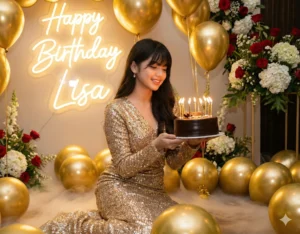
Create a realistic closeup shot of a young woman (used uploaded photo) in shimmering, sequin dress, kneeling amidst a luxurious setting. She holds a small birthday cake with lit candles. Around her, numerous golden balloons are scattered on the ground and floating upwards. In the background, there's a glowing neon sign that says 'Happy Birthday [USE YOUR NAME]". There are also floral arrangements with red and white flowers visible in the background, and a subtle smoke or fog effect near the ground.
Prompt 5
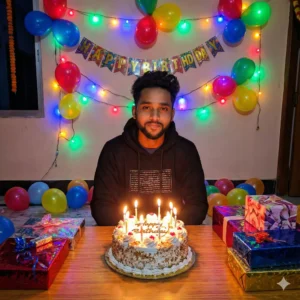
This picture has birthday decorations with colorful lights, balloons of different colors, Happy Birthday text written on the wall and a table with a big cake along with some gifts. There are some balloons scattered nearby.Birthday Photos Ko Viral Kaise Banayein?
- Before–After comparison dikhao
- Reel me slow zoom ya light animation add karo
- Caption simple rakho: “AI se banayi birthday photo”
- Trending birthday music use karo
Ye steps engagement aur reach dono badhate hain.
Common Mistakes Jo Avoid Karni Chahiye
❌ Prompt ko Hindi me likhna
❌ Over-editing keywords use karna
❌ Face distortion ko ignore karna
❌ Bahut zyada elements ek hi photo me bhar dena
Simple aur clean prompt = best output ✅
Final Words
Google Gemini Happy Birthday AI Photo Editing Prompt ek easy aur creative solution hai jisse aap kisi bhi birthday ko khas aur yaadgaar bana sakte ho.
Sahi prompt aur sahi settings ke saath aap bina professional editing skills ke bhi Instagram-ready birthday photos aur reels bana sakte ho.
Agar aap aise hi copy–paste ready AI photo editing prompts Hindi me chahte ho, to Bloggerohan.com ko bookmark karna mat bhoolna. Yahan par aapko milte rahenge latest, trending aur working AI prompts — har celebration ke liye.
Also Read:
- Celebrity Selfie AI Video Prompt for Instagram Reels
- Gemini Couple Photo Prompts – Romantic & Cinematic AI Photos

I’m Rohan, an AI prompt creator from Kanpur, UP, India, focused on sharing copy–and–paste–ready AI photo and video editing prompts for modern content creators.
2 thoughts on “Google Gemini Birthday AI Photo Editing Prompt 2026”