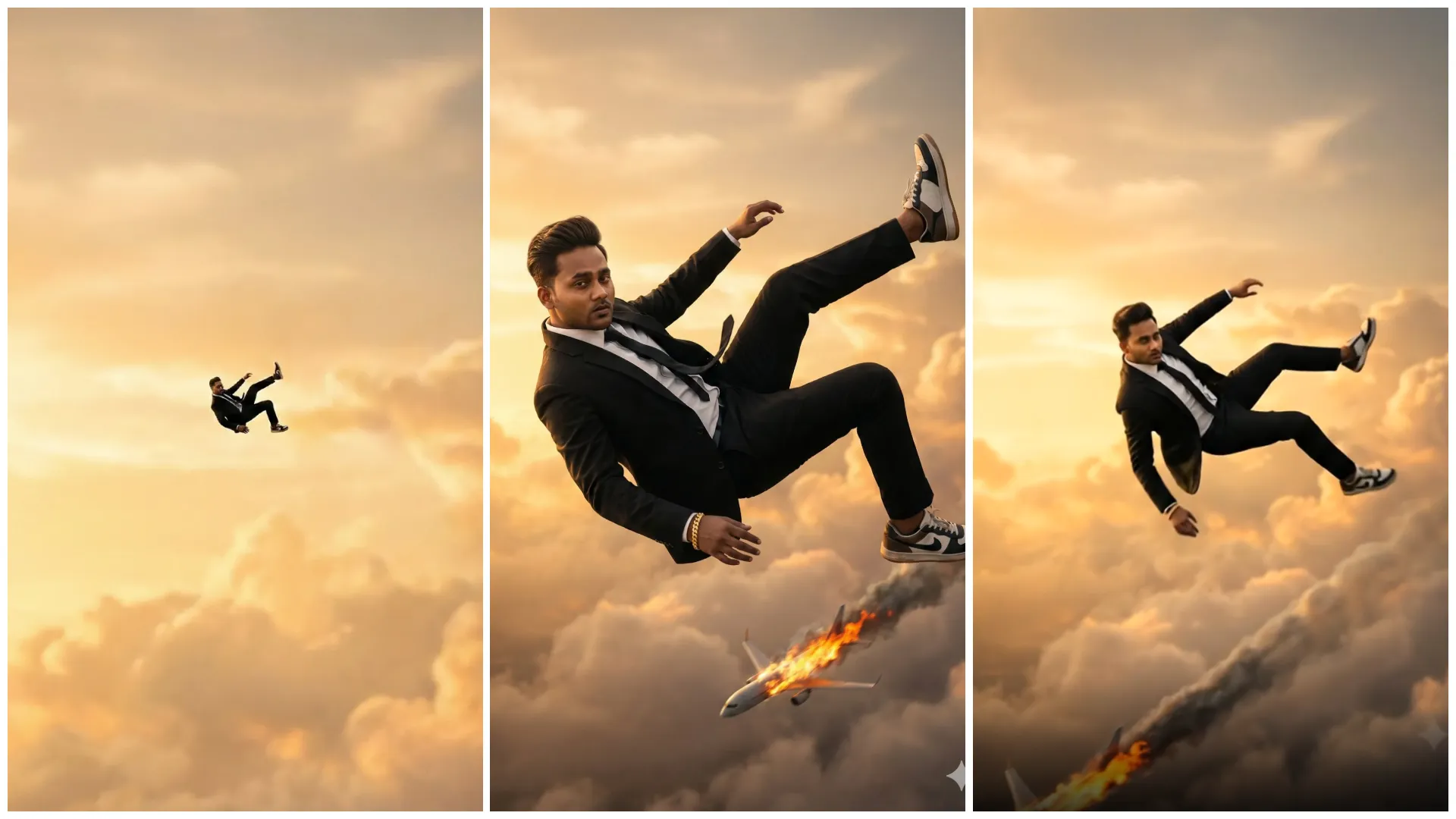
Instagram par jo videos sabse zyada viral jaati hain, unme ek common cheez hoti hai, impossible visuals. Insaan ka aasman me udna (man flying in the sky) ek aisa concept hai jo freedom, power aur fantasy ko represent karta hai. Isi wajah se ye trend Instagram Reels aur YouTube Shorts par massively viral ho raha hai.
Ab achhi baat ye hai ki is type ke reels banane ke liye na green screen chahiye, na VFX software. Aap sirf ek AI video prompt ke through flying man cinematic reel bana sakte ho, wo bhi Google Flow AI jaise tools ka use karke.
Is article me tum jaanoge:
- Man Flying in the Sky AI Video Prompt kya hota hai
- Instagram ke liye flying man reels kaise banayein
- Prompt ko cinematic aur viral kaise likhein
- Different flying styles ke liye prompt placeholders
Man Flying in the Sky AI Video Editing Prompt Kya Hota Hai?
Man Flying AI Video Editing Prompt ek text-based instruction hota hai jo AI ko batata hai:
- Ek aadmi aasman me ud raha ho
- Sky clouds, sunlight aur depth visible ho
- Motion smooth, slow aur cinematic ho
- Video realistic lage, cartoonish nahi
Agar prompt sahi likha ho, to AI output Hollywood-style flying shot jaisa lagta hai.
Ye Flying Man Reel Trend Viral Kyun Ho Raha Hai?
- Freedom symbolism – audience connect karti hai
- Cinematic fantasy look – high watch time
- Reel-friendly (5–7 sec) – perfect loop
- Superhero vibes – instant attention
Isi liye ye reels fast likes, shares aur saves la rahi hain.
Flying Man AI Video Reel Kaise Banayein?
Step 1: Google Gemini AI Open Karein
Gemini Create Image option choose Karein.
Step 2: Google Flow AI Open Karein
Flow Text-to-video ya image-to-video option choose karein.
Step 3: Prompt English Me Paste Karein
- Prompt English me hi likhein
- Sky, clouds aur flying motion clearly mention karein
Step 4: Video Settings
- Aspect ratio: 9:16 (Instagram Reels)
- Duration: 5–8 seconds
- Motion: Slow & smooth flying
Step 5: Generate & Refine
- Agar movement zyada fast ho to add karein:
“slow cinematic motion, realistic gravity”
Viral Instagram Man Flying in the Sky AI Video Prompt
Google Gemini Prompt 1
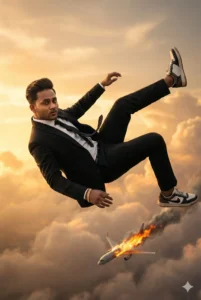
Create a cinematic, surreal, ultra-realistic vertical close-up portrait of a young man falling from the sky, maintaining the exact same elegant falling pose and body posture as the reference image.

The subject descends naturally through soft clouds under realistic gravity, his body angled diagonally in mid-air. One leg is bent upward while the other extends forward; his arms are relaxed and slightly spread, forming a smooth, slow-motion cinematic fall.

The camera is positioned extremely close to his face, which fills most of the frame. His expression is sharp, emotional, and intense—conveying a layered mix of love, surrender, destiny, heartbreak, and hope.

He wears a tailored black formal suit, crisp white shirt, black tie, premium sneakers, and a thick gold bracelet on his wrist. His hairstyle is short, clean, and neatly styled backward, with the forehead fully visible.

Subtle air resistance moves his hair and clothing naturally, reinforcing the sense of downward motion and real gravity.

Far below in the distance, a burning airplane cuts through the clouds, trailing fire, sparks, and smoke, adding dramatic scale and cinematic tension.

The background is filled with warm golden sunset clouds in soft pastel yellow and orange tones, creating a dreamy, romantic, and emotional movie atmosphere.

Render with ultra-realistic skin texture, cinematic lighting, dramatic shadows, shallow depth of field, and an IMAX-style cinematic look. The final result should feel hyper-detailed, photorealistic, and emotionally powerful in 4K quality.

Negative Prompt:
No cap, no hat, no headwear, no long or messy hair, no hair covering the forehead or face, no beard covering the face, no upside-down or inverted body, no anti-gravity or upward floating effects.
The man is positioned very high in the sky, appearing extremely small and distant, only faintly visible due to the height. He is seen from behind, with his back facing the camera.

The sky should remain a single, consistent color, creating a minimal and expansive background. The composition emphasizes scale and distance, making the viewer look upward into the vast sky, matching the reference angle shown in photo 2.
Google Gemini Prompt 2

Present the same scene in an extreme wide-angle view, expanding the frame to emphasize vast open sky.

The subject should appear very small and distant, positioned high above within the sky, reinforcing a strong sense of scale and isolation.

Focus on the openness of the sky and the minimal composition—no airplane or additional elements are required.

The wide framing should make the figure feel subtle and almost lost in the atmosphere, enhancing the cinematic and surreal mood.Google Flow Prompt
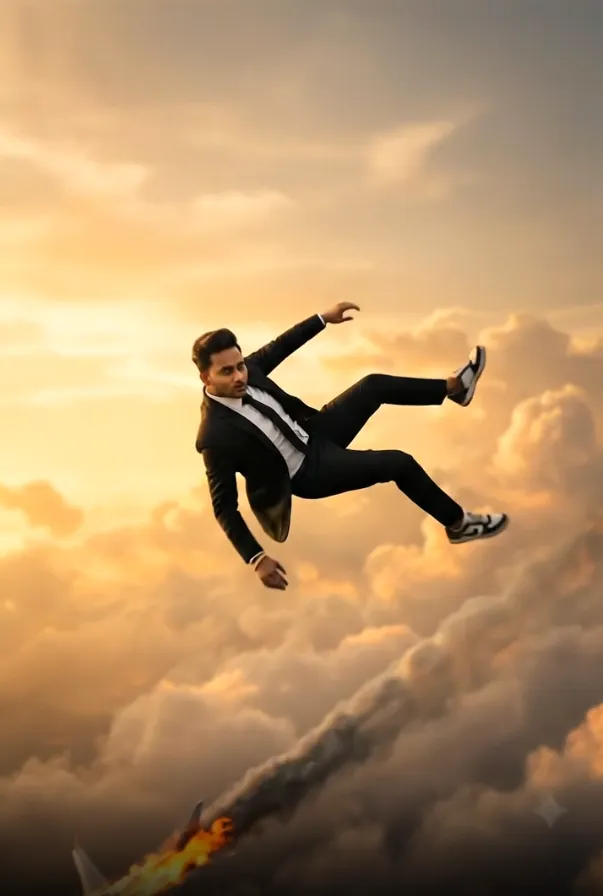
A smooth frame descends smoothly, a man falls from the sky and the movement of the fallFlying Man AI Reels Ko Viral Kaise Banayein?
- Reel 5–6 sec me rakho (loop friendly)
- Sky wide aur clean ho (no clutter)
- Caption example: “Flying into my dreams (AI-generated)”
- Hashtags: #FlyingMan #AIVideo #ViralReels
Ye combo watch time + shares badhata hai.
Common Mistakes Jo Avoid Karni Chahiye
- Over-fast flying motion
- Cartoonish clouds
- Dark or noisy sky
- Prompt Hindi me likhna
Realistic + cinematic = viral output
Final Words
Viral Instagram Man Flying in the Sky AI Video Editing Prompt ek high-impact fantasy trend hai jo sahi prompt ke saath million-view reels create kar sakta hai. Google Flow AI ka smart use karke aap simple ideas ko cinematic flying visuals me badal sakte ho.
Agar aap aise hi copy–paste ready AI video prompts Hindi me chahte ho, to Bloggerohan.com ko bookmark karna mat bhoolna. Yahan aapko milte rahenge latest, trending aur working AI prompts.
Also Read:
- Viral God Driving Car Ai Image & Video Editing Prompts 2026
- Viral AI Police Arrest Photo Editing Prompt 2026

I’m Rohan, an AI prompt creator from Kanpur, UP, India, focused on sharing copy–and–paste–ready AI photo and video editing prompts for modern content creators.