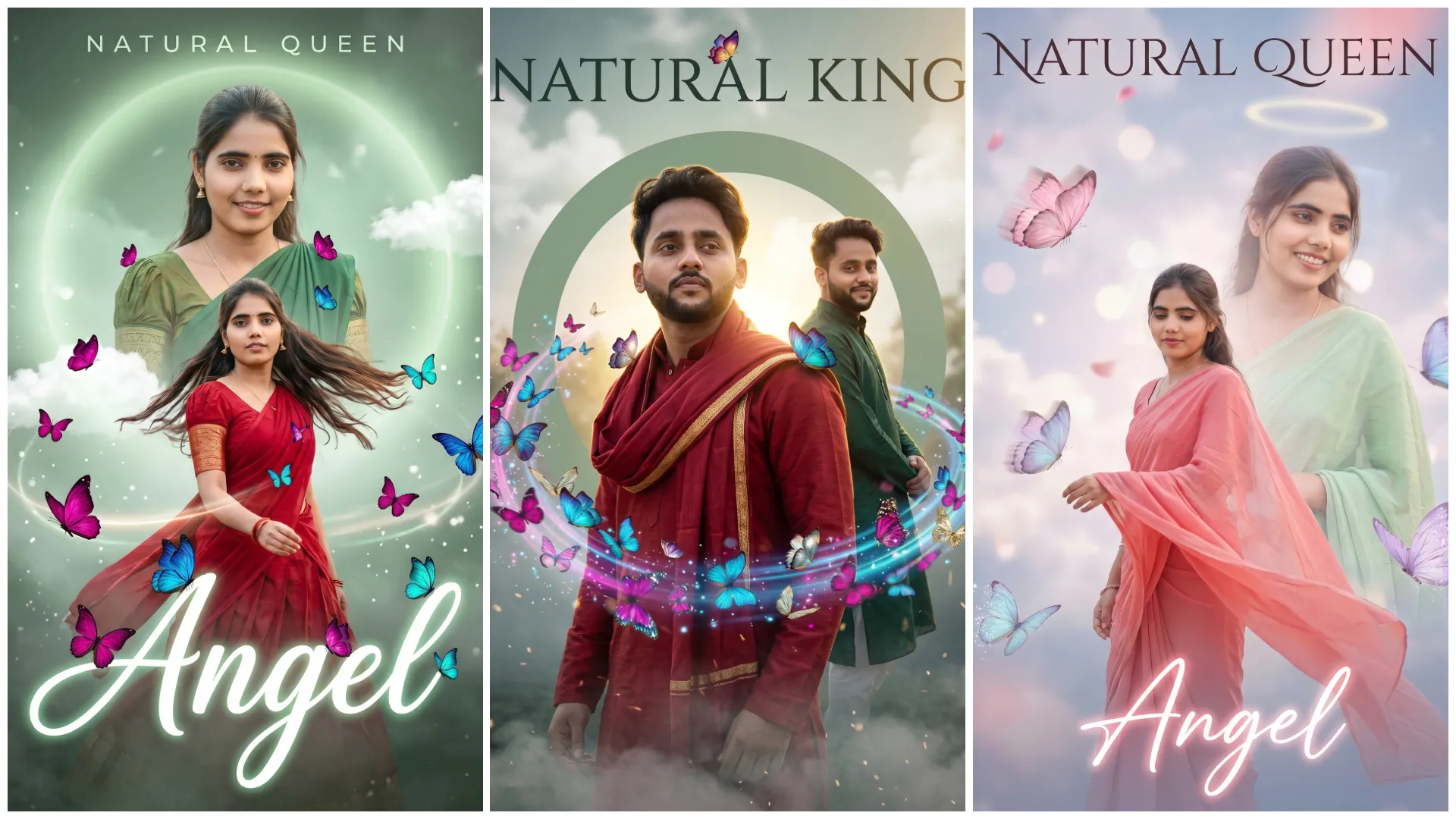
Aajkal Instagram me ek naya trend viral ho rha hai, Dual Pose Butterfly Effect Is style me ek hi image me same person ke 2 poses aur unke around butterfly aesthetic effects combine kiye jate hain.
Ab aap bhi apni normal photo ko Dual Pose Butterfly Effect AI Photo Editing Prompts ke through dual pose with butterfly aesthetic artwork me convert kar sakte ho using Google Gemini. Jo dekhne me creative, dreamy aur cinematic lagegi or Instagram par instantly attention grab karegi.
Dual Pose Butterfly Effect AI Prompt Kya Hota Hai?
Ye ek advanced text-based AI instruction hota hai jo AI ko batata hai:
- Same subject ke 2 poses ho
- Smooth blending ho
- Butterflies aur glow effects add ho
- Background aesthetic ho
Agar prompt sahi likha ho, to output ek high-end creative artwork jaisa lagta hai
Ye Trend Itna Viral Kyun Hai?
- Aesthetic + fantasy vibe
- Dual pose creative concept
- Instagram reels friendly
- High engagement & saves
Dual pose + butterfly = super viral combo
Google Gemini Se Dual Pose Butterfly AI Photo Kaise Banayein?
Step 1: Google Gemini Open Karein
Gemini Image generation ya editing mode open karein.
Step 2: Apni Photo Upload Karein
- Ek ya do poses wali photo use kar sakte ho
- Clear face hona zaroori hai
Step 3: Prompt English Me Paste Karein
Keywords use karein:
- dual pose
- butterfly effect
- dreamy lighting
Step 4: Settings Select Karein
Aspect ratio
- DP → 1:1
- Reel → 9:16
Style
- Aesthetic
- Fantasy
- Cinematic
Quality → High / Ultra
Step 5: Final Touch
- Smooth blending rakhein
- Over-effects avoid karein
Dual Pose Butterfly Effect AI Photo Editing Prompts
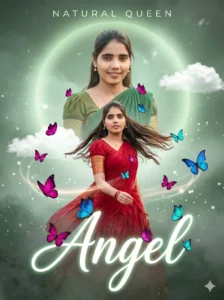
Create a hyper-realistic cinematic portrait in 4K Ultra HD with a vertical 3:4 aspect ratio, styled as a high-end editorial photoshoot with a dreamy feminine aesthetic.

FACE REFERENCE (STRICT IDENTITY LOCK — CRITICAL)

Use the uploaded image as the ONLY facial reference.
• Face must remain 100% identical — no reshaping, no beautification, no smoothing
• Preserve exact facial features, skin tone, hairstyle, and expression
• Maintain natural skin texture (visible pores, no artificial skin)

COMPOSITION (DUAL-POSE LAYOUT)

Primary Pose (Foreground):
• Worm’s-eye extreme low-angle shot
• Twirling motion toward camera
• Wearing red half saree with gold border
• Long black hair flowing dynamically
• Soft, playful expression (natural, not exaggerated)
• Subtle motion blur on saree edges only

Secondary Pose (Background/Overlay):
• Slightly offset layered pose
• Elegant S-curve stance
• Wearing green half saree
• Facing forward with a gentle, bright smile
• Clean, softly blended into composition

CAMERA & LIGHTING

• Worm’s-eye cinematic perspective
• Strong backlight with golden rim glow
• Soft skin illumination with balanced highlights
• Shallow depth of field with creamy bokeh
• HDR finish with cinematic contrast

BUTTERFLY EFFECTS (PRIMARY VISUAL ELEMENT)

• Large number of butterflies distributed in depth layers
• Size variation: small, medium, large (for perspective)
• Colors: magenta, blue, cyan, soft pink, subtle golden glow

Placement & Motion:
• Some butterflies flying near face (slight motion blur)
• Some resting naturally on saree folds
• One butterfly placed on the text element (“Angel”)
• Create a spiral swirl motion around the subject

Effects:
• Soft glowing wing particles
• Subtle light trails following movement
• Light butterfly shadow overlays in background

BACKGROUND & ATMOSPHERE

• Dreamy mist-filled environment
• Soft cinematic fog/smoke at bottom (rolling effect)
• Large sage-green circular halo behind subject
• Soft floating clouds
• Slight blurred trees for depth
• Floating dust and spark particles

TYPOGRAPHY

• Top: “NATURAL QUEEN” (clean spaced sans-serif)
• Bottom: “Angel” (large glowing cursive text)
• Add a butterfly resting on the letter “A”
• Typography should integrate naturally with scene

DETAILING & RENDERING

• Ultra-detailed skin texture (natural pores)
• Realistic saree fabric physics and folds
• Depth layering with foreground/background separation
• Sharp focus on face, soft blur in depth areas

EFFECTS & FINISHING

• Soft glow/bloom on highlights
• Subtle lens flare
• Gentle vignette edges
• Butterfly light reflections on skin

STYLE

Cinematic fantasy editorial portrait, dreamy, feminine, and visually rich

RENDER SETTINGS

• Aspect ratio: 3:4 vertical
• Quality: 4K Ultra HD
• Style: raw / photorealistic

NEGATIVE PROMPT (STRICT)

face alteration, identity mismatch, plastic skin, over-smoothing, cluttered composition, unrealistic butterflies, low detail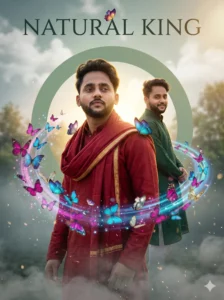
Create a hyper-realistic cinematic portrait in 4K Ultra HD with a vertical 3:4 aspect ratio, styled as a high-end editorial photoshoot with a dramatic masculine aesthetic.

FACE REFERENCE (STRICT IDENTITY LOCK — CRITICAL)

Use the uploaded image as the ONLY facial reference.
• Face must remain 100% identical — no reshaping, no beautification, no smoothing
• Preserve exact facial structure, skin tone, hairstyle, beard (if any), and expression
• Maintain natural skin texture (visible pores, no artificial skin)

COMPOSITION (DUAL-POSE LAYERED DESIGN)

Primary Pose (Foreground):
• Worm’s-eye extreme low-angle cinematic shot
• Slight turning motion toward camera
• Wearing deep red traditional outfit (kurta or draped shawl with gold border)
• Fabric flowing naturally with subtle motion blur on edges only
• Confident, calm expression

Secondary Pose (Background/Overlay):
• Slightly offset layered composition
• Elegant S-curve stance
• Wearing deep green traditional outfit
• Looking slightly sideways with a soft smile
• Smoothly blended into background

CAMERA & LIGHTING

• Worm’s-eye perspective (camera placed below, looking upward)
• Strong backlight with golden rim glow
• Soft natural skin tones with HDR finish
• Shallow depth of field with cinematic bokeh
• Balanced highlights and shadows

BUTTERFLY EFFECTS (PRIMARY VISUAL ELEMENT)

• Dense cinematic butterfly presence across layers
• Size variation: foreground (blurred), mid, background (sharp)
• Colors: magenta, blue, cyan, soft pink, golden glow accents

Placement & Motion:
• Some butterflies flying near face (slight motion blur)
• Some resting on shoulders and fabric folds
• One butterfly interacting with typography
• Spiral swirl motion around subject

Effects:
• Glowing wing particles
• Subtle light trails
• Soft butterfly shadow overlays

BACKGROUND & ATMOSPHERE

• Dreamy cinematic environment with mist
• Soft clouds + slightly blurred trees for depth
• Large sage-green circular halo behind subject
• Thick rolling fog/smoke at bottom
• Floating dust and spark particles

TYPOGRAPHY

• Top: “NATURAL KING” (clean spaced sans-serif)
• Bottom: “Angel” (large glowing cursive text)
• Add a butterfly resting on the letter “A”
• Ensure typography blends naturally into the scene

DETAILING & RENDERING

• Ultra-detailed skin texture with natural pores
• Realistic fabric physics and folds
• Clean depth layering between elements
• Face must be the sharpest focal point

EFFECTS & FINISHING

• Soft glow/bloom on highlights
• Subtle lens flare
• Gentle vignette edges
• Butterfly light reflections on skin

STYLE

Cinematic fantasy editorial portrait, dramatic, rich, and masculine aesthetic

RENDER SETTINGS

• Aspect ratio: 3:4 vertical
• Quality: 4K Ultra HD
• Style: raw / photorealistic

NEGATIVE PROMPT (STRICT)

face alteration, identity mismatch, plastic skin, over-smoothing, cluttered composition, unrealistic butterflies, low detail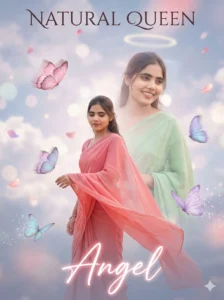
Create a soft dreamy fantasy portrait in 4K Ultra HD with a vertical 3:4 composition, styled as an ethereal cinematic artwork with a delicate feminine aesthetic.

FACE REFERENCE (STRICT IDENTITY LOCK — CRITICAL)

Use the uploaded image as the ONLY facial reference.
• Face must remain 100% identical — no reshaping, no beautification, no smoothing
• Preserve exact facial features, skin tone, hairstyle, and expression
• Maintain natural skin texture (no artificial glow or plastic skin)

COMPOSITION (DUAL-POSE DREAMY LAYOUT)

Primary Pose (Foreground):
• Soft, graceful twirl motion
• Wearing a light red–pink saree
• Gentle, calm expression
• Natural fabric flow with subtle motion softness

Secondary Pose (Background/Layered):
• Slightly offset, softly blended behind
• Wearing a pastel green saree
• Relaxed posture with a calm, warm smile

CAMERA & PERSPECTIVE

• Low-angle shot with a soft, slightly tilted perspective
• Natural proportions (no distortion)

LIGHTING & COLOR

• Soft diffused pastel lighting
• No harsh shadows
• Ambient tones: pink, lavender, soft peach hues
• Gentle glow with balanced highlights

BUTTERFLY ELEMENTS

• Pastel butterflies in baby pink, lavender, sky blue
• Slow floating motion with soft motion blur
• Some butterflies subtly dissolving into sparkles/particles
• Distributed across foreground and mid-depth for layering

BACKGROUND & ATMOSPHERE

• Dreamy cloudy sky backdrop
• Soft bokeh highlights
• Floating petals for added depth
• Faded circular halo behind subject
• Light mist and atmospheric haze
• Subtle glowing particles

TYPOGRAPHY

• Top: “NATURAL QUEEN” (thin elegant font, spaced lettering)
• Bottom: “Angel” (soft glowing pastel script)
• Typography should blend naturally with the dreamy environment

DETAILING & RENDERING

• Ultra-detailed skin texture with natural realism
• Soft-focus edges while keeping face sharp
• Realistic saree fabric flow and folds
• Smooth blending between layers

STYLE

Ethereal fantasy cinematic portrait, soft, dreamy, feminine, and visually soothing

NEGATIVE PROMPT (STRICT)

face alteration, identity mismatch, plastic skin, over-smoothing, harsh shadows, cluttered composition, unrealistic colorsViral Banane Ke Pro Tips
- Dual pose me different expressions use karo
- Caption example:
“Two sides, one story (AI generated)”
- Hashtags:
#DualPose #ButterflyEffect #AIEditing
Common Mistakes
- Overlapping messy ho jana
- Too many butterflies
- Color imbalance
- Prompt Hindi me likhna
Clean blend + soft aesthetic = best result
Final Words
Trending Dual Pose Butterfly Effect AI Photo Editing Prompts ek next-level creative trend hai jo simple photos ko artistic cinematic masterpiece me convert karta hai. Sahi prompt aur smooth blending ke saath aap apni image ko dreamy dual pose butterfly artwork me badal sakte ho jo Instagram par instantly viral potential rakhta hai.
Agar aap aise hi copy–paste ready AI prompts Hindi me chahte ho, to Bloggerohan.com ko bookmark karna mat bhoolna. Yahan aapko milte rahenge latest trending AI prompts.
Also Read:
- Trending Cinematic Aesthetic AI Photo Editing Prompts (Instagram Viral Edits)
- Trending Butterfly Effect AI Photo Editing Prompts For Girls

I’m Rohan, an AI prompt creator from Kanpur, UP, India, focused on sharing copy–and–paste–ready AI photo and video editing prompts for modern content creators.